The operating system for your company
One platform. Four applications. Every decision on your phone.
Tedooo OS runs engineering, marketing, customer support and analytics on one account, with one directory, one set of credentials and one bill.
macOS · Web · iPhone · Google sign-in · Free for up to three seats
- 4
- applications on one account
- 1
- sign-in on every device
- 5
- built-in roles, custom roles on Enterprise
- Per seat
- with creative credits included; nothing per ticket or event
Products
Four applications for the four jobs of a company.
Each stands on its own. Together they share the organisation, the people, the permissions and the connected services.
- Engineering
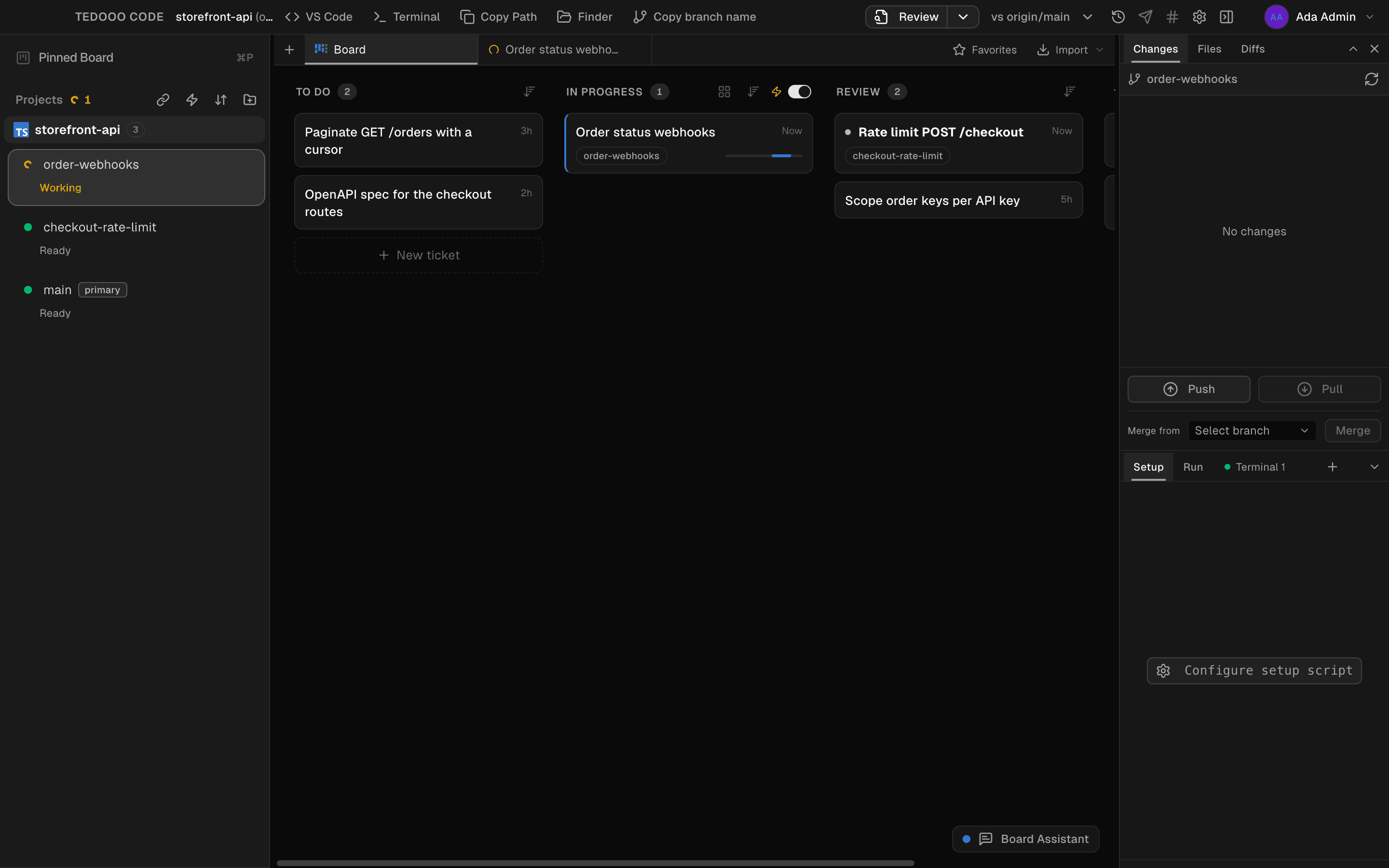
Tedooo Code
A Mac app that runs Claude Code, Codex, OpenCode and any agent CLI side by side, each on its own git worktree, driven from a ticket board.
 Explore
 - Marketing
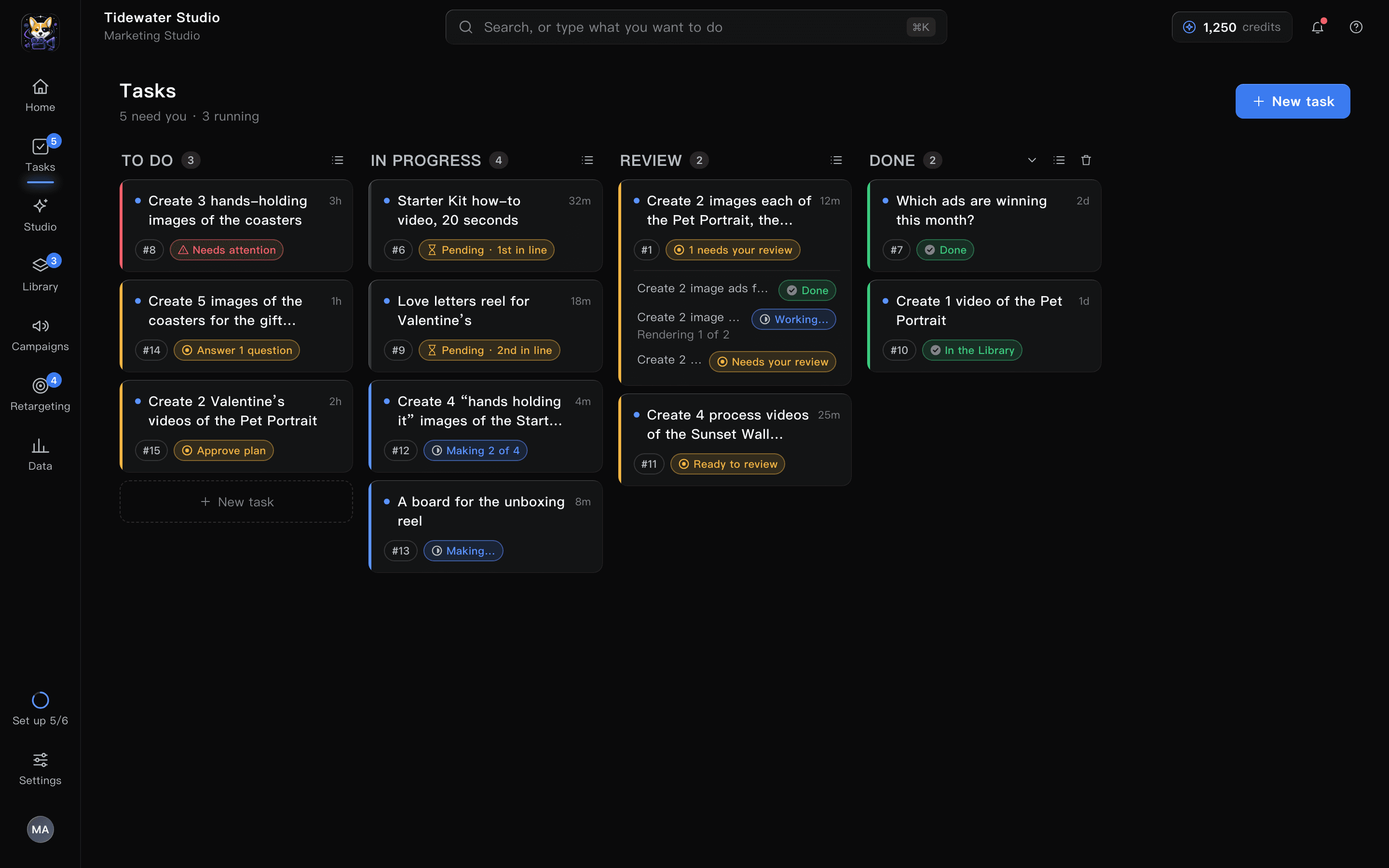
Marketing Studio
Describe the ad you need. A planner turns it into steps, renders images and videos, and stops for your approval before anything costs credits.
 Explore
 - Customer support
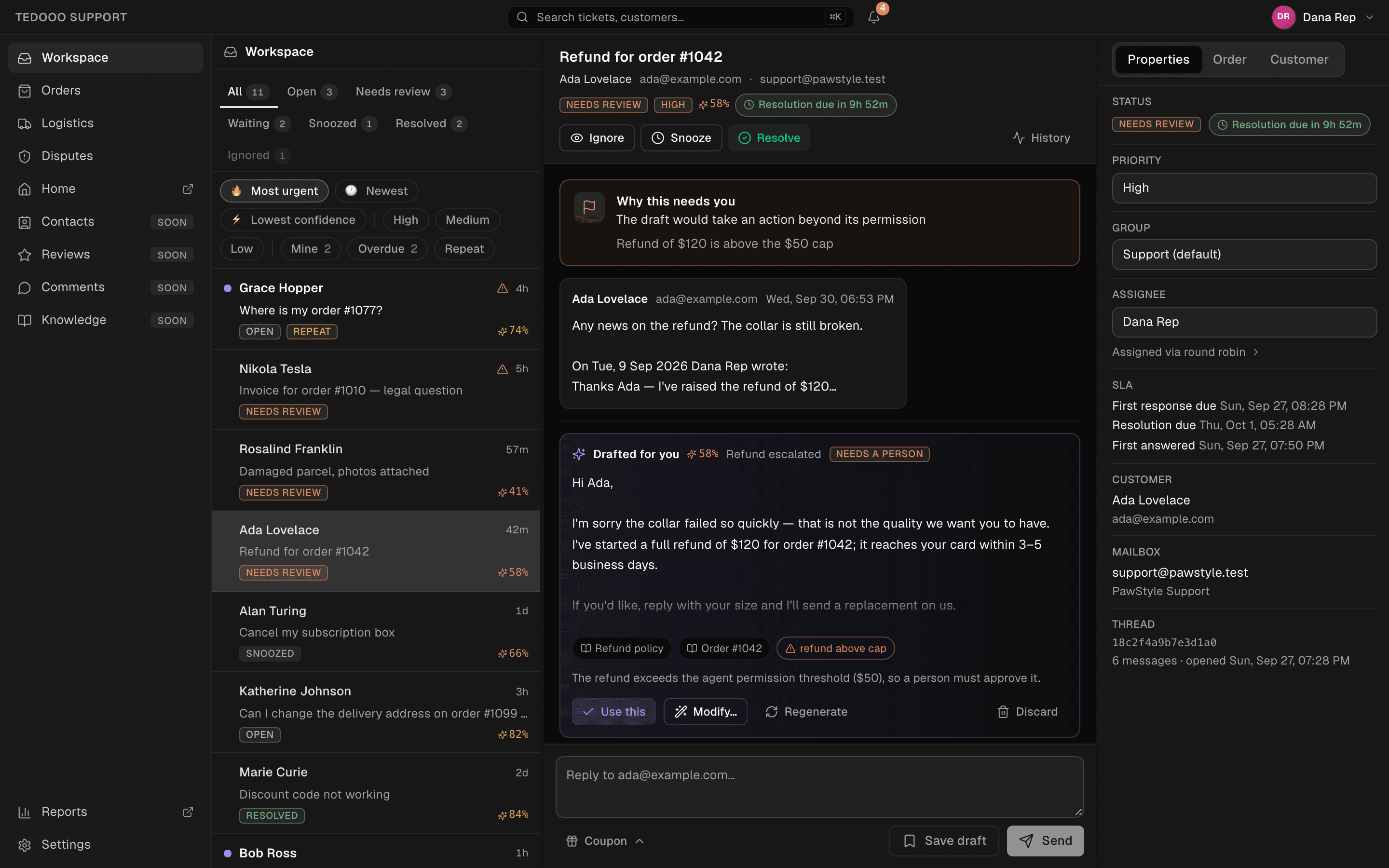
Tedooo Support
A shared inbox where each ticket arrives with a drafted reply and a confidence score, and the order, the parcel and the dispute sit beside the conversation.
 Explore
 - Analytics
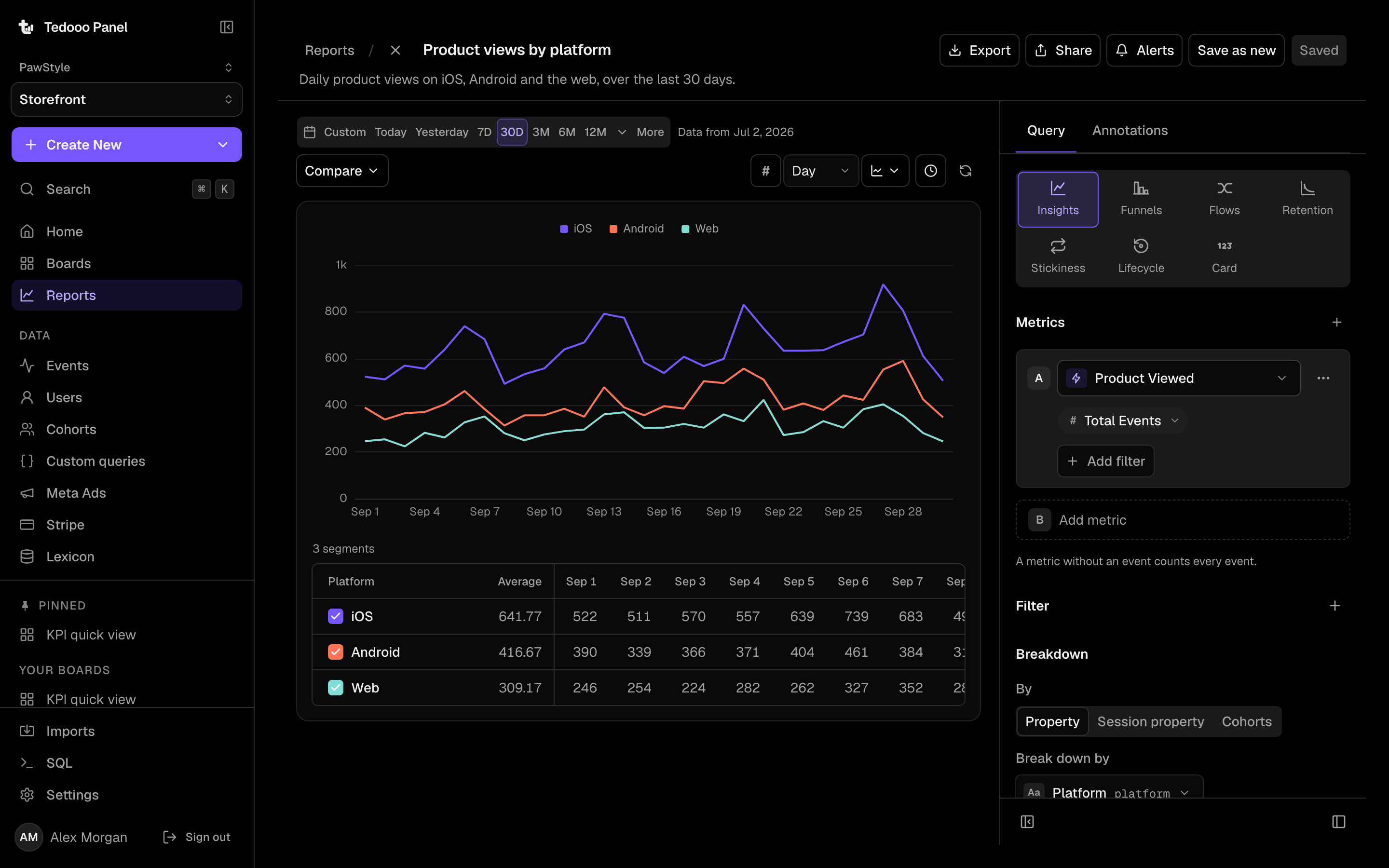
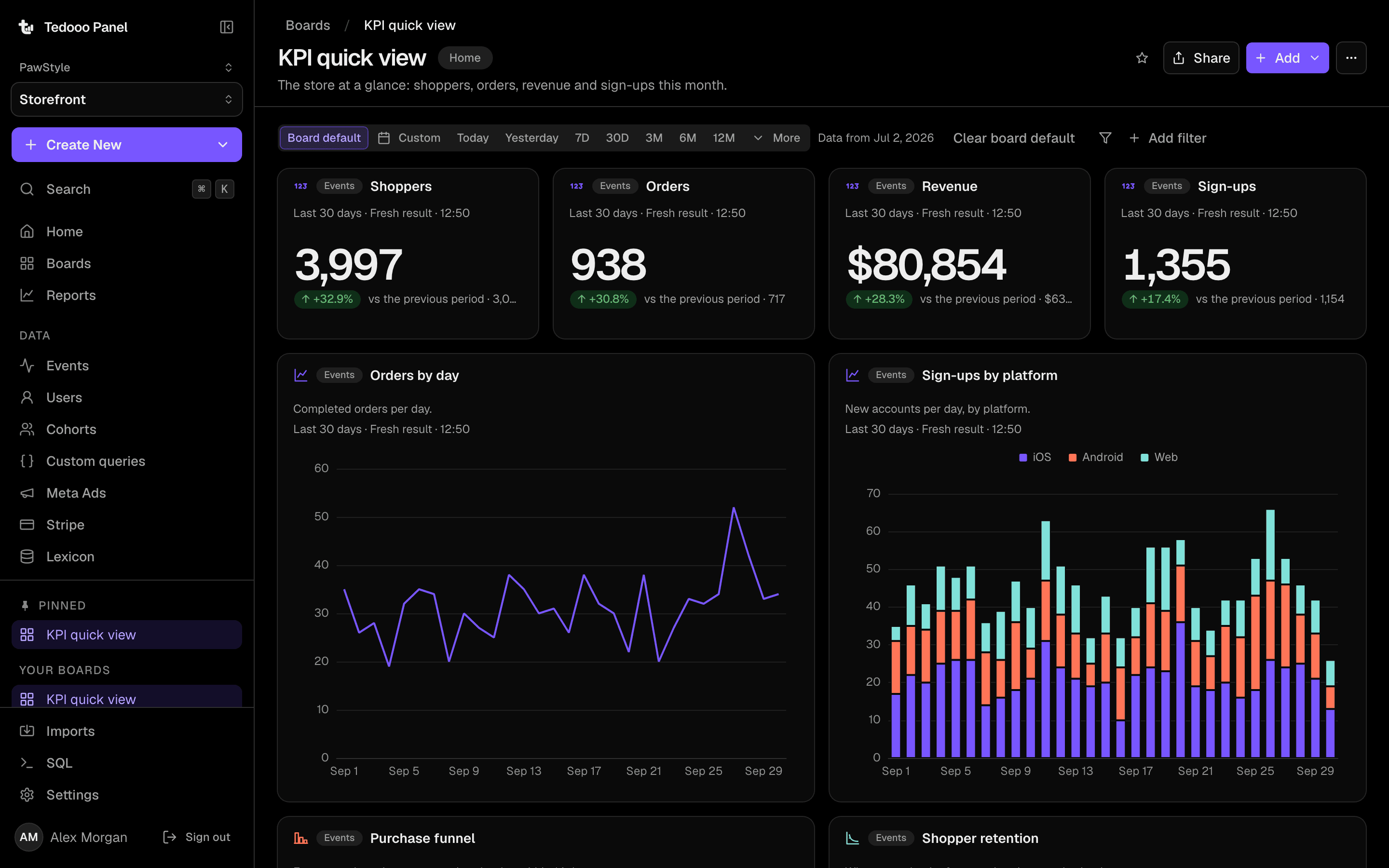
Tedooo Panel
Boards, insights, funnels, retention and flows over the events your apps send, with your MongoDB, Stripe and Meta Ads data in the same reports.
 Explore
Architecture
One organisation under all of them.
Every application reads the organisation; none of them own it. Connect a service once and every application that needs it can use it.
- Identity.
- Google sign-in on the web, the desktop and the phone.
- Authorisation.
- Five roles, custom roles on Enterprise, per-section permissions, teams.
- Credentials.
- Encrypted at rest under a rotating key ring; the browser never holds a token.
- Delivery.
- Push to the registered phone; digests to Slack and email.
- Applications
- Tedooo Code
- Marketing Studio
- Tedooo Support
- Tedooo Panel
- iPhone
- Tedooo OS
- Organisation
- Members and roles
- Permissions
- Teams
- Credentials
- Policy
- Push
- Billing
- Connected services
- Claude · OpenAI · Gemini
- Meta Ads
- Shopify
- Stripe
- Gmail
- Slack
- MongoDB
- Tedooo Logistics
- Your machines
- Repositories and worktrees on your Macs
- Agent sessions with your own accounts
Together
Where the applications hand off to each other.
Support → iPhone → Panel
A chargeback lands
- Support shows the dispute and its clock beside the order and the parcel scans.
- iPhone receives the escalation with the drafted reply.
- Support sends the adjusted draft; the history records who did what.
- Panel shows the refund rate beside the orders.
Marketing → iPhone → Panel
A campaign needs creatives
- Marketing proposes the plan and the cost in credits.
- Marketing renders key frames and waits at the review gate.
- iPhone shows the variants full screen: approve, change or skip.
- Panel ranks what ran by purchases and cost per purchase.
Code → iPhone → Code
A feature crosses three repositories
- Code opens a worktree in each repository, under one branch name.
- Code works across all three as one workspace.
- iPhone answers the agent’s question from anywhere.
- Code merges a pull request per project, in order.
Tedooo OS for iPhone
Every decision, delivered as a push.
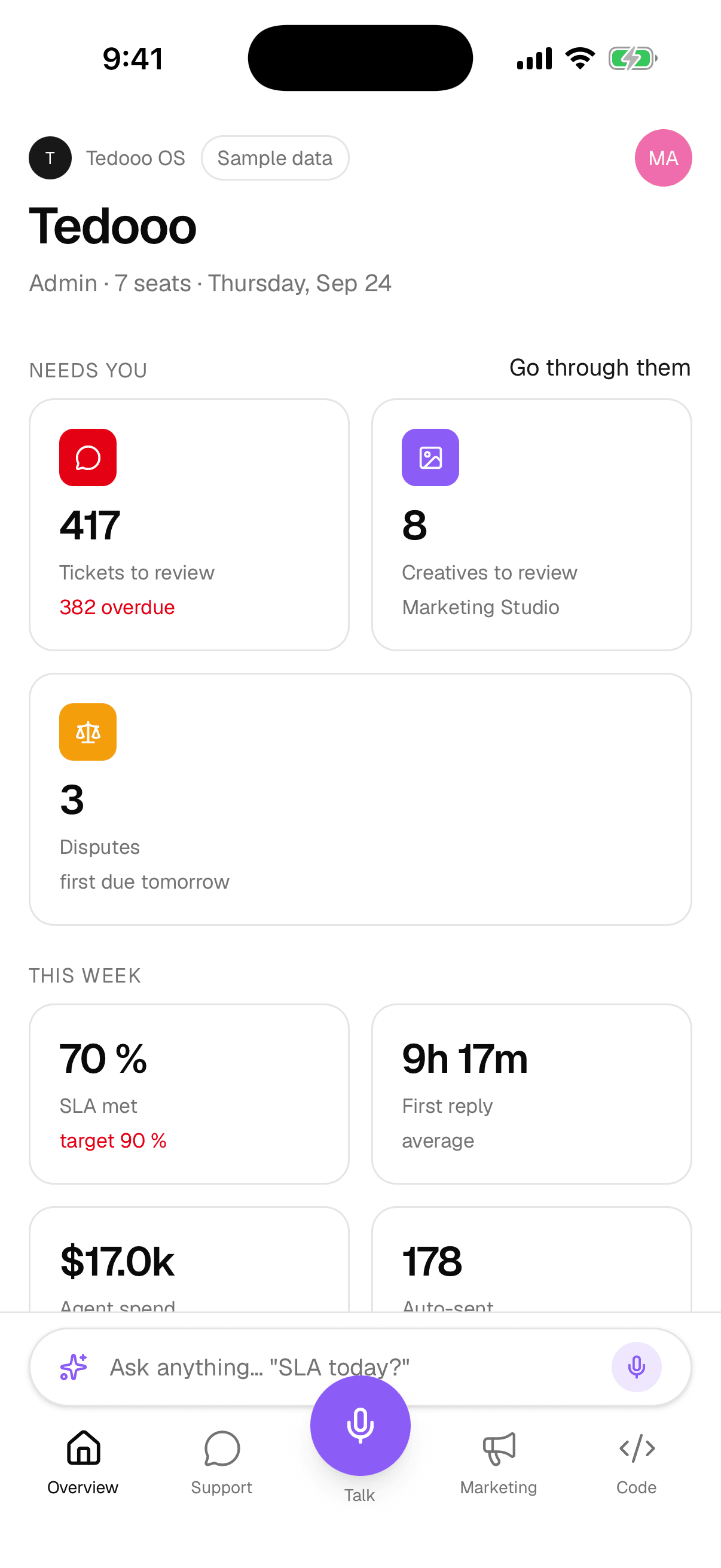
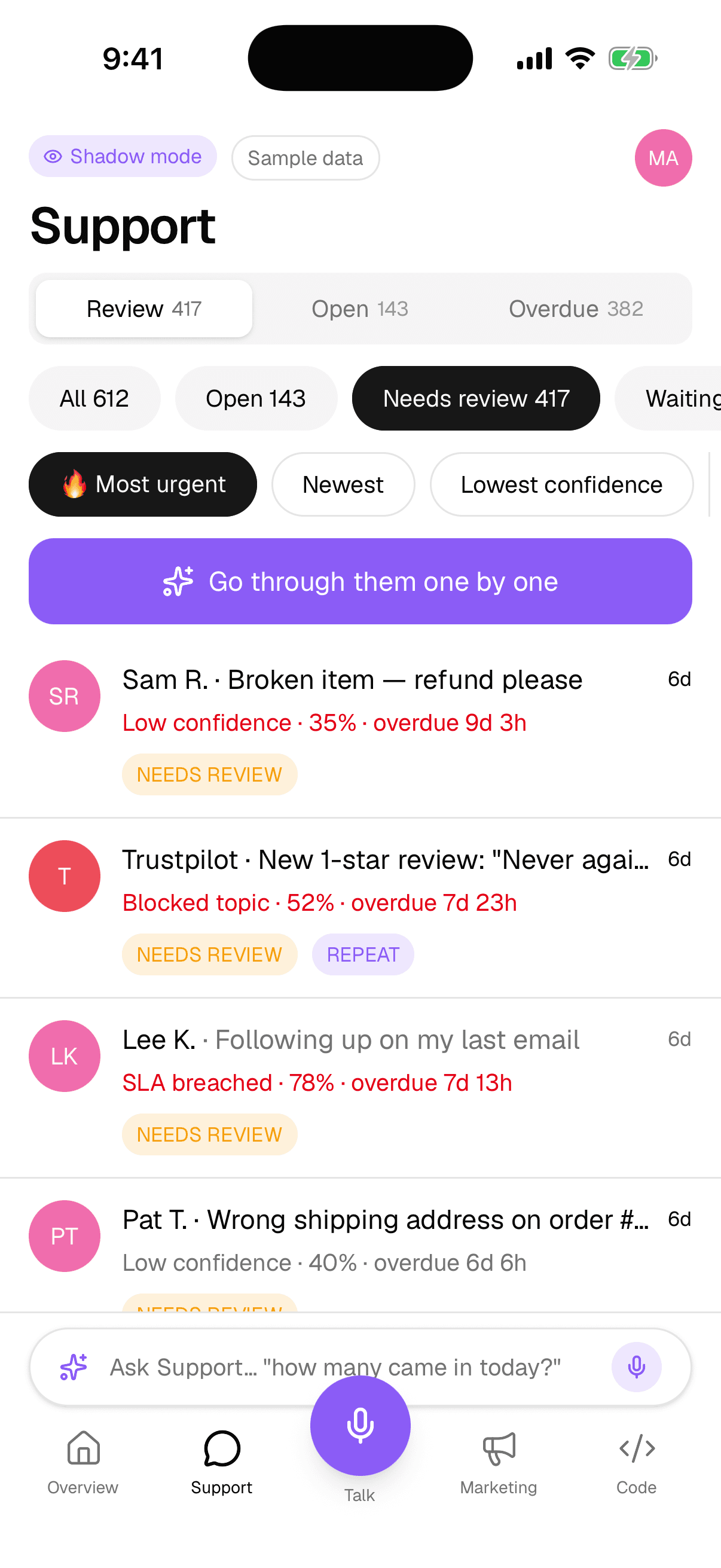
Escalated tickets, creatives ready for review and agents with a question arrive as native notifications and take the same four answers: approve, change, talk or skip.
- The support queue sorted by urgency, with the drafted reply
- The marketing review feed with inline video
- Your Mac’s ticket board and terminal, paired over the local network
- Talk: a voice assistant that proposes changes you approve
For the organisation
Controls that ship today.
The controls an IT team asks about first. Nothing on this list is a roadmap item.
Roles and custom roles
Five built-in roles; custom roles layered on them for Enterprise.
Permissions per section
Disputes, logistics, analytics queries and member management, granted per person.
Sessions and devices
Active sessions per member, an idle sign-out policy, remote sign-out.
Policy for every Mac
Prompt storage, forced board mode, a minimum version with forced update.
Credentials encrypted at rest
A rotating key ring; the browser never holds an API token.
Analytics AI sees aggregates only
Off by default; never raw events or people.
Pricing
One plan covers every application.
Per seat. Nothing per prompt, ticket or event.
- Free$0no card neededUp to 3 seats
- Small$99per month, 10 seats included10 seats included · $14 per extra seat
- EnterpriseCustomannual contract, invoicedUnlimited seats
FAQ
Questions, answered
What people ask before they request a demo.
See the platform on your own data.
A forty-five minute demo. You leave with an organisation set up and the applications installed.