Analytics · Tedooo Panel
Product analytics with your business data beside the events.
Tedooo Panel is the analytics console of Tedooo OS: boards, insights, funnels, flows, retention and cohorts over the events your apps send, with your MongoDB, Stripe and Meta Ads data in the same reports. Point the SDKs you already ship at a new host and the history you export comes with you.
Web app in any browser · your existing event SDKs · the home board on your iPhone
- 6
- report types: insights, funnels, flows, retention, stickiness, lifecycle
- 10
- metrics per insight, with formulas between them
- 3
- business sources: MongoDB, Stripe and Meta Ads
- 400 ms
- after a change, the report re-runs; there is no Run button
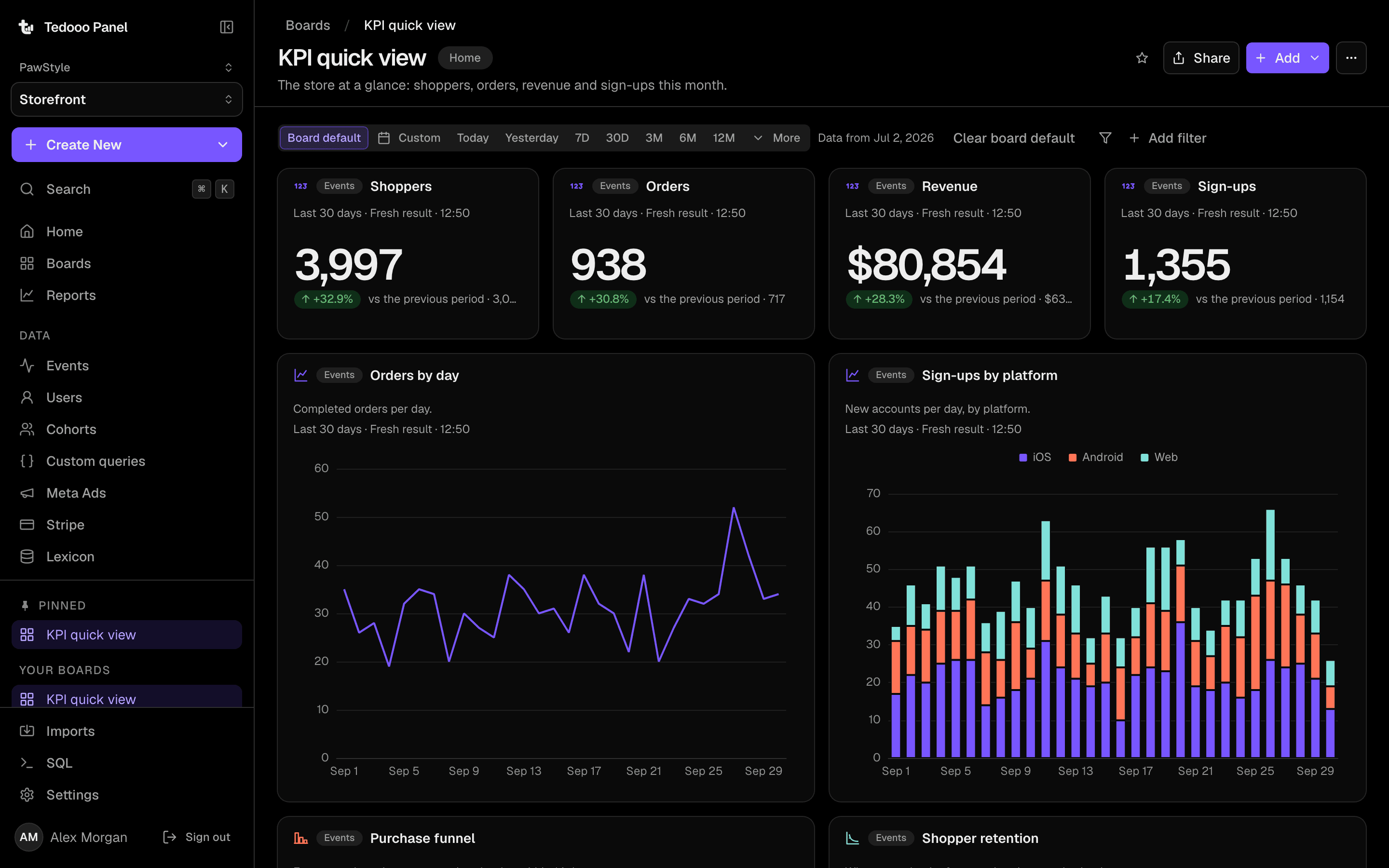
Boards
The company on one screen
A board is a grid of report cards you drag and resize, with a range and filters that apply to all of them. Metric cards show a number and its change against the previous period; charts share the range. Pin one as home, favourite the rest, and subscribe the team to a daily picture of it in Slack or by email.
- Line, column, stacked column, pie, metric and table charts
- A board-wide time range and filters
- Daily digests to Slack or email, delivered through Tedooo OS
Reports
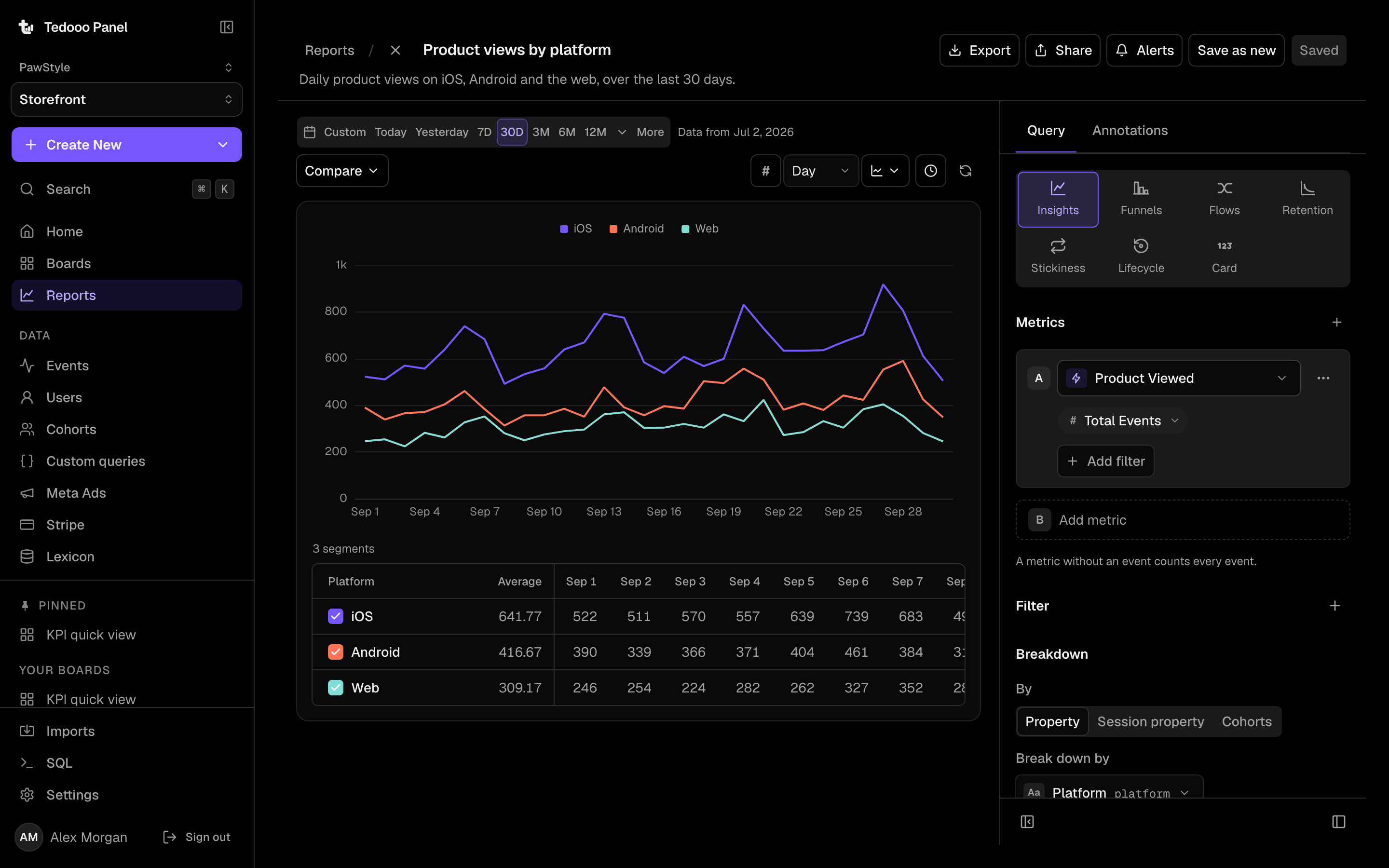
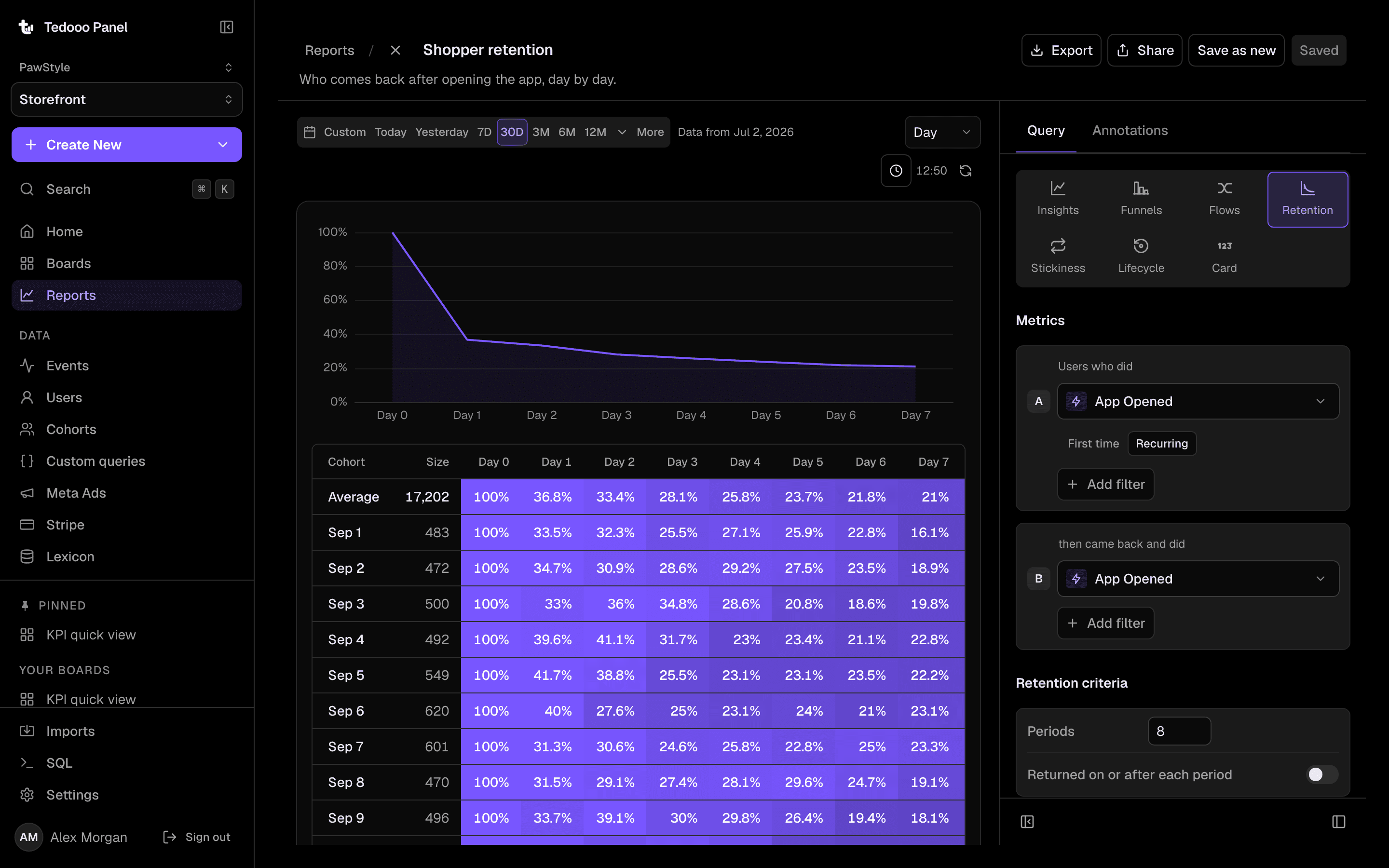
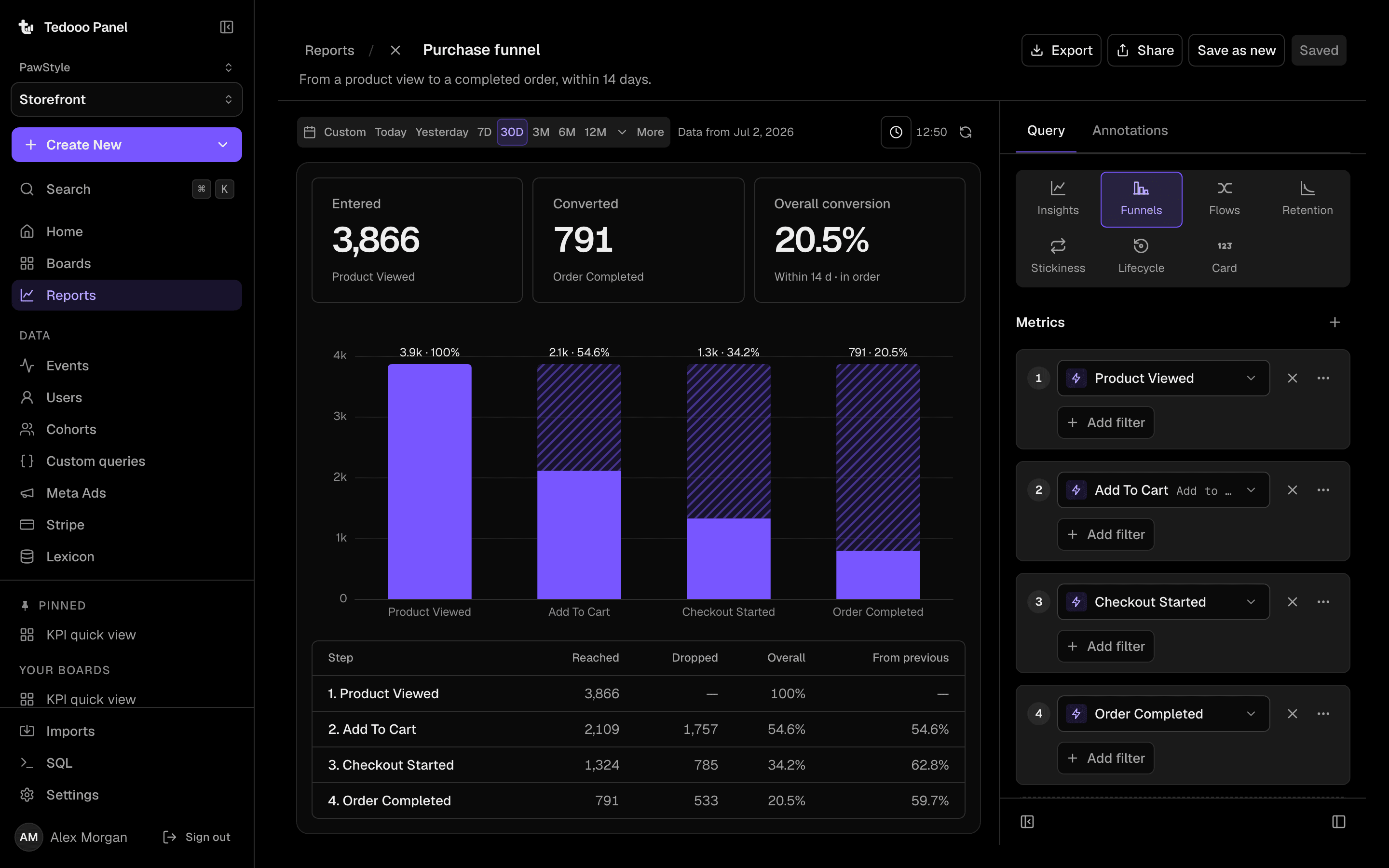
Insights, funnels, flows, retention, in place
Up to ten lettered metrics with formulas between them, eighteen measurements, a breakdown and a comparison. Funnels of two to ten steps in specific, strict or any order with a conversion window. Flows as paths from a start event or to an end event. Retention as a heat matrix by day, week or month. Reports are built inside the board they belong to.
- Stickiness and lifecycle: new, returning, resurrecting, dormant
- “Users behind this point”, saved as a cohort
- Annotations, CSV and JSON export, revocable public links and embeds
Your data
The database, the payments and the ads, in the same report
Connect a MongoDB database in the console and write find and aggregate queries over it, with time-range placeholders, an explain, and an assistant that drafts the pipeline. Save a query and it becomes a preset in Insights. Stripe and Meta Ads get report sections of their own, read with the credentials the organisation already holds.
- Custom queries over MongoDB, saved as presets
- One guarded, read-only SQL statement for managers
- Meta Ads and Stripe reports beside the events
Ask AI
Ask a question, get a report
A drawer that answers plain-English questions by running real reports, and can build or edit a board for a manager. It is off until an organisation switches it on, and when it is on the model sees names and aggregates only, never raw events or people.
- Answers as charts you can open as reports
- Alerts on a saved series, checked hourly, to a webhook
- A Lexicon to describe, tag, verify and hide events and properties
Everything in the box
The analytics console, complete
What a product, growth or data team expects, with the organisation’s own data one click away.
Events
An explorer with live tail and a property drawer.
Users and groups
Profiles with an activity feed, sessions and properties; account-level analytics.
Cohorts
Static and behavioural, recomputed nightly.
Lexicon
Describe, tag, verify and hide events and properties.
Imports
Bring your history from a BigQuery export, with a parity report.
Share
Revocable public links and iframe embeds.
Alerts
A threshold on a saved series, checked hourly, sent to a webhook.
Subscriptions
A daily picture of a board to Slack or email.
Quotas
Per-organisation query quotas, cancellable long queries.
Better on Tedooo OS
The measuring desk of the OS
Panel has no accounts, credentials or permissions of its own: it reads them all from the Tedooo OS organisation.
- Tedooo OS for iPhone
The home board, on the phone
Insights on the iPhone shows the pinned board, a written summary and Ask AI, and opens Panel for the rest.
Tedooo OS for iPhone - Marketing Studio
What the creatives did
The Meta Ads report reads the same account Marketing Studio ranks, so spend and purchases sit beside the funnel they fed.
Marketing Studio - Tedooo Code
Did the feature work?
The feature an agent shipped from the board sends its events here; a funnel and a retention matrix say whether it stuck.
Tedooo Code
For the organisation
Under the control of your admins
What the console decides for this application, for every member.
- Permissions from Tedooo OS roles: view, manage, and run queries
- Data sources, Meta and Stripe credentials held by the organisation, encrypted at rest
- Ask AI off by default; when on, it sees names and aggregates only
- Per-organisation query quotas and cancellable queries
- Revocable public links; embeds marked as Tedooo Panel
- The same Google sign-in and organisation as the rest of Tedooo OS
FAQ
Questions, answered
See your product and your business on one board
Create a project in the console, point your SDKs at the new host, and open Panel in the browser.
The rest of Tedooo OS
- EngineeringTedooo Code
Every coding agent, every project, one prompt.
- MarketingMarketing Studio
Creatives planned, rendered and reviewed. Meta ads read and ranked.
- Customer supportTedooo Support
Every ticket drafted, scored and sorted by urgency.
- On your phoneTedooo OS for iPhone
Every decision the OS needs from you, on your phone, as a push.