Engineering · Tedooo Code
Every coding agent. Every project. One prompt.
Tedooo Code runs Claude Code, Codex, OpenCode and any CLI that ships next side by side on your Mac, each on its own git worktree. Connect your projects and one ticket becomes a feature shipped across all of them, while your team sees what every run cost.
Apple silicon · Version 1.2.118 · Intel Mac?
Published 21 October 2026 · Release notes
macOS · Apple silicon and Intel · Works with the agent CLIs and accounts you already have
- 3
- agents built in, any other as a custom provider
- 1
- git worktree per session, created for you
- 1 ticket
- across every connected repository
- Per member
- prompts, tokens and cost in the console
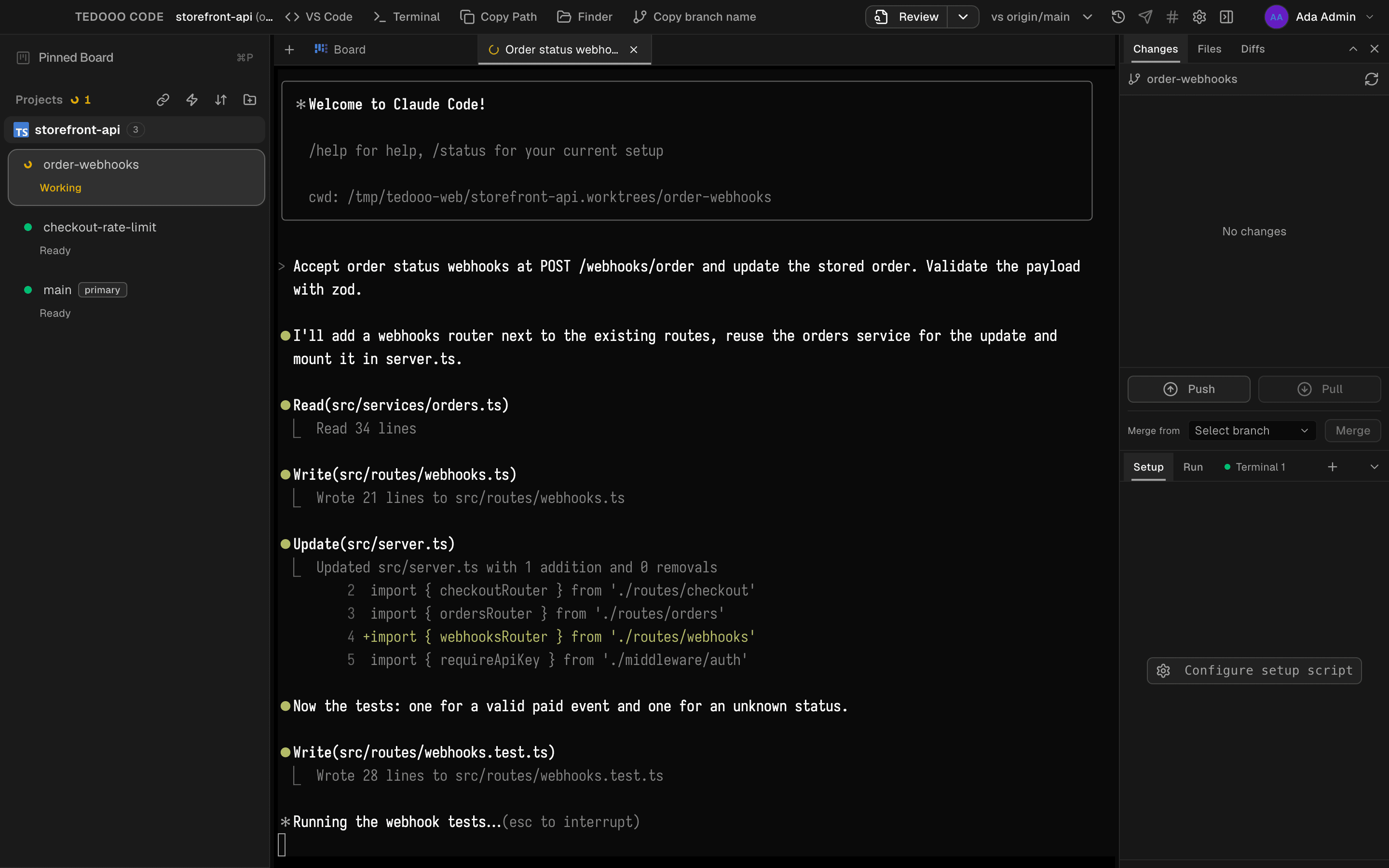
Board
Tickets become sessions
The board turns work into agent runs. Drag a ticket to In progress, pick a worktree, and the agent starts with the ticket as context. Plan mode drafts before it builds; the board assistant files and orders tickets for you; merge on done closes the loop.
- Import tickets from Jira or GitHub
- Plan mode, Build mode and a board assistant
- Merge on done, straight from the Review column
- Pin one board across several projects (⌘P)
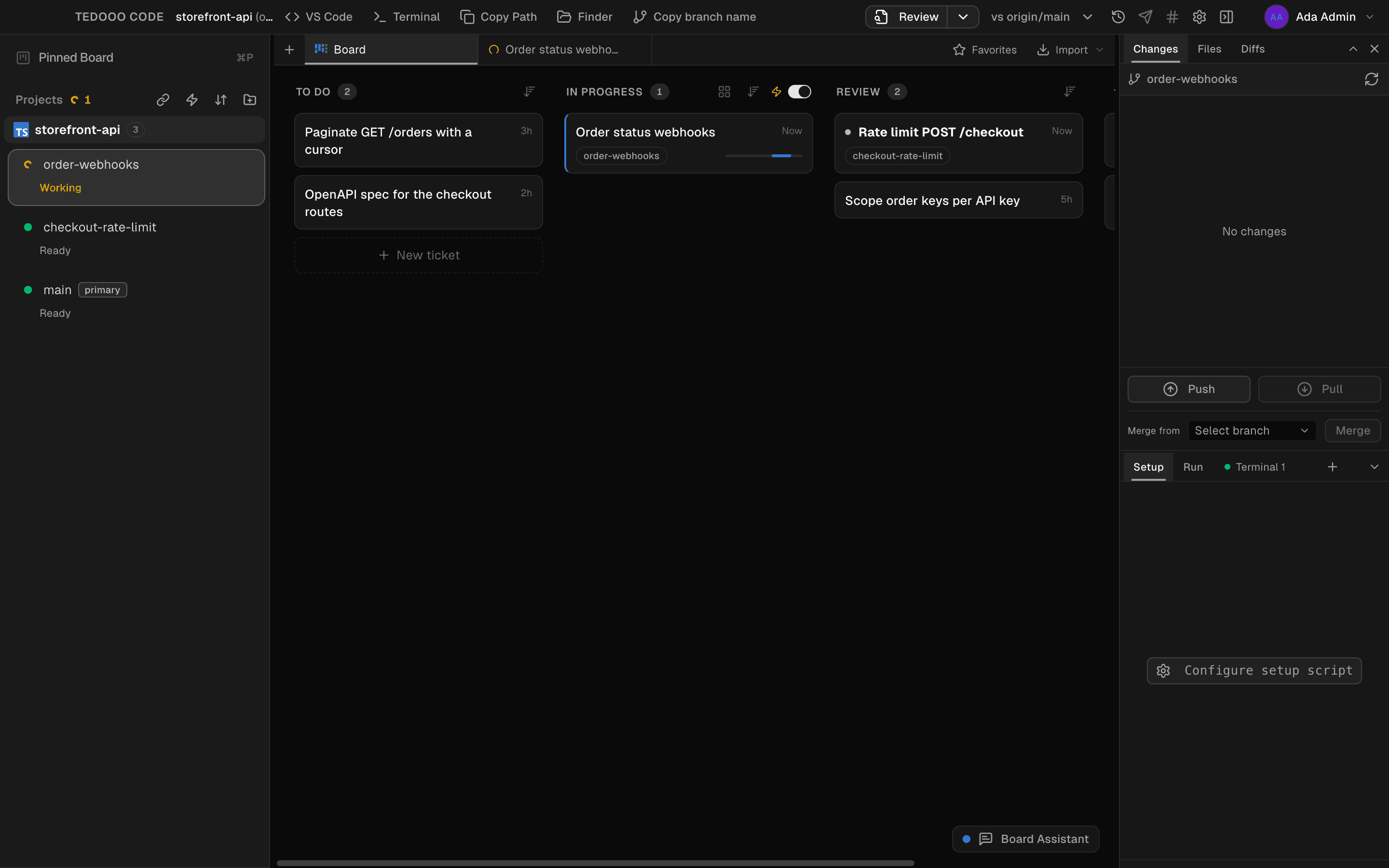
Agents
Any agent. Even the ones that do not exist yet.
Claude Code, Codex and OpenCode get a first-class session, through their SDKs or their CLIs. Anything else runs as a custom provider with its own launch command and model list, on the same worktree, the same board and the same cost report. Keep several Claude and OpenAI accounts and switch between them by schedule or by usage.
- Hand a ticket from Codex to Claude Code mid-session, with the context
- Usage meters per account, with automatic switching
- Native terminal, spaces and ⌘K
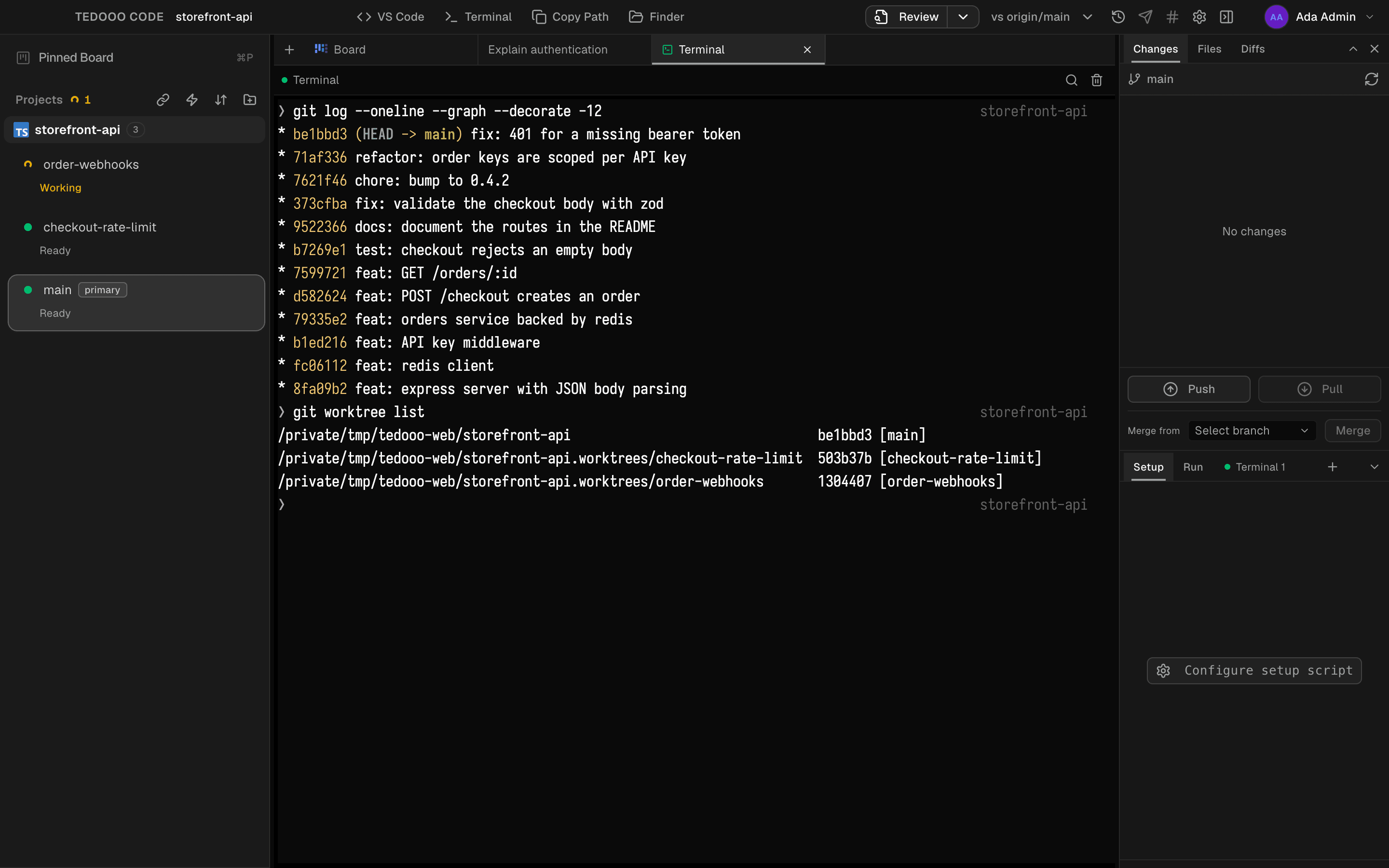
Connections
One ticket. Every project. Finished in one prompt.
Most features cross repositories: the API, the web app, the mobile app. Connect them once and every ticket on the connection opens a same-named worktree in each project. The agent reads all of them, changes all of them and opens a pull request in each.
- A worktree per project, created together and named alike
- The agent sees every project as one workspace, with the rules written for it
- A pull request per project and a merge queue on done
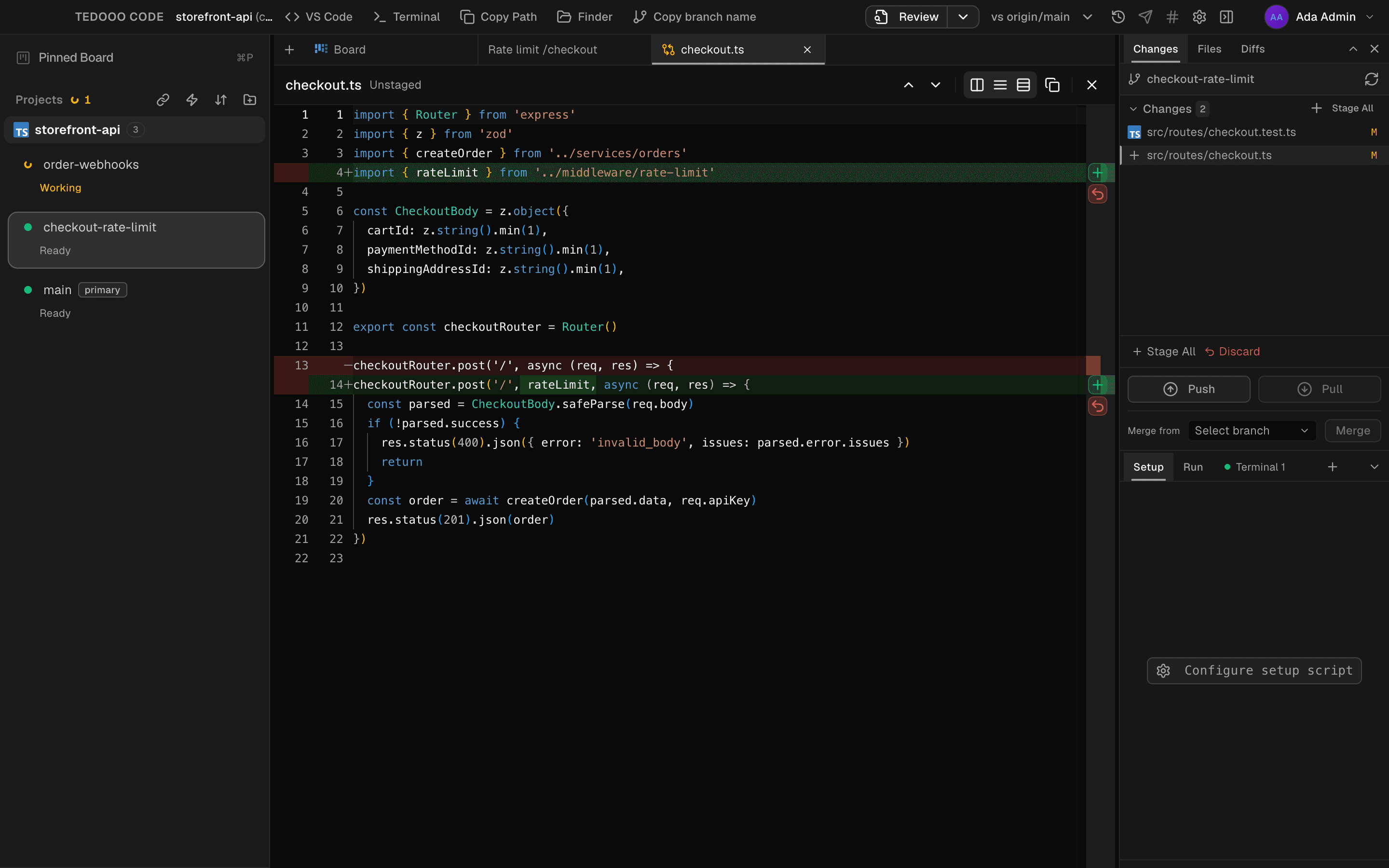
Team
Your team, accounted for
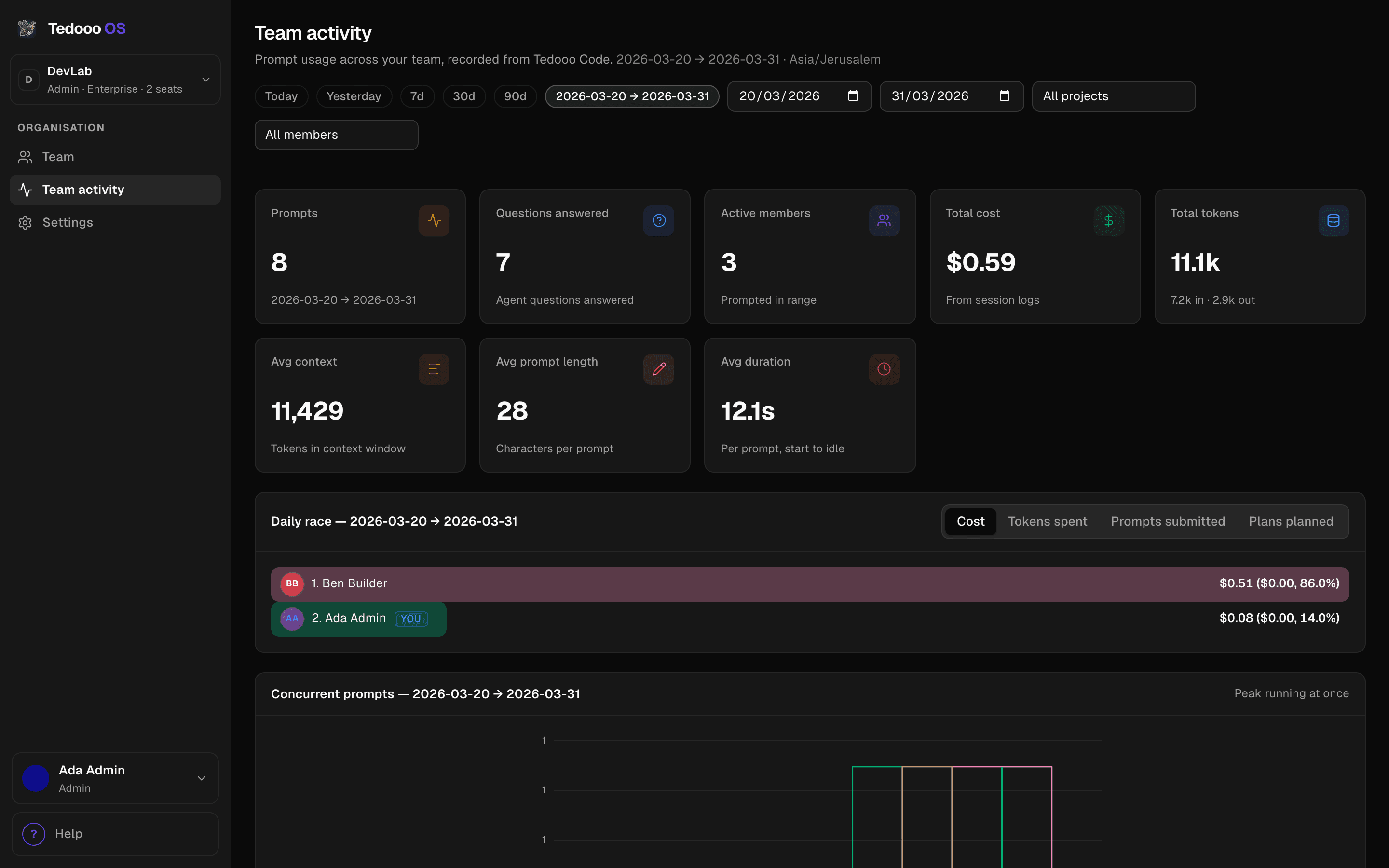
The console shows prompts, tokens and cost per day and per member, and sets the policy every Mac in the organisation follows: whether prompt text is stored, whether answered questions are recorded, whether the board is the only way to start a session, and the minimum app version.
- Team activity: prompts, questions answered, cost and tokens
- Dev-workspace policy, enforced on every Mac
- A minimum app version with a forced update
- The board and a read-only view of live sessions, in the browser
Everything in the box
A workspace, not a chat window
Everything an engineer reaches for while an agent works, in the same window.
Worktrees
One isolated branch per session, created in a click and named after a dog or cat breed.
Editor, files and git
A Monaco editor, a file tree with git status, a git panel with push, pull and merge from.
Pull requests
Open a PR from the worktree and feed its review comments back to the agent.
Setup and run scripts
Per-project scripts and terminals in the bottom panel.
Voice and autocomplete
Dictate a prompt (⌥Space) and get ghost-text suggestions, both on-device.
Discord and Telegram
Bridge a session and answer the agent from wherever you are.
Push notifications
A push to your iPhone when a ticket reaches Review or an agent has a question.
Teleport
Hand a stopped Claude CLI session, history and uncommitted changes included, to an always-on machine.
Command filtering
Allow and deny patterns for the commands an agent may run.
Better on Tedooo OS
The engineering desk of the OS
Tedooo Code signs in to the same organisation as every other app, so the people, the policy and the phone are already there.
- Tedooo OS for iPhone
Your Mac’s board in your pocket
Pair the phone with your Mac over the local network or Tailscale. Create tickets, send them to work, answer an agent’s question, approve a plan, and watch the terminal.
Tedooo OS for iPhone - Tedooo Panel
Ship it, then measure it
The feature you just merged sends events to Panel. Funnels and retention tell you whether it worked.
Tedooo Panel - Tedooo Support
From a ticket to a ticket
A bug reported by a customer in Support becomes a ticket on the board, with the conversation as context for the agent.
Tedooo Support
For the organisation
Under the control of your admins
What the console decides for this application, for every member.
- Google sign-in and an organisation required on first launch
- Roles: Admin, Manager, Member, Viewer and External; custom roles on Enterprise
- Store prompt text, or record lengths, timings, tokens and cost only
- Force board mode, so every session starts from a ticket
- A minimum app version, with a forced update on older builds
- Code, worktrees and the local database stay on the Mac
FAQ
Questions, answered
Get Tedooo Code for your Mac
macOS, Apple silicon and Intel. Sign in with Google, create or join an organisation, drop a ticket on the board.
Apple silicon · Version 1.2.118 · Intel Mac?
The rest of Tedooo OS
- MarketingMarketing Studio
Creatives planned, rendered and reviewed. Meta ads read and ranked.
- Customer supportTedooo Support
Every ticket drafted, scored and sorted by urgency.
- AnalyticsTedooo Panel
Product analytics with your business data beside the events.
- On your phoneTedooo OS for iPhone
Every decision the OS needs from you, on your phone, as a push.