Customer support · Tedooo Support
Every ticket drafted, scored and sorted by what needs a person.
Tedooo Support is a shared inbox for e-commerce teams. Each ticket arrives with a drafted reply and a confidence score, the reason it needs you, and the customer’s order, parcel and dispute beside the conversation.
Apple silicon · Version 1.0.2 · Intel Mac?
Web app in any browser · macOS app, Apple silicon and Intel · the same queue on your iPhone
- 1 draft
- per ticket, with a confidence score
- Urgency
- priority first, then the lowest confidence
- 3 sources
- Shopify, Tedooo Logistics and Stripe beside the ticket
- Shadow
- mode: trial it without a customer noticing
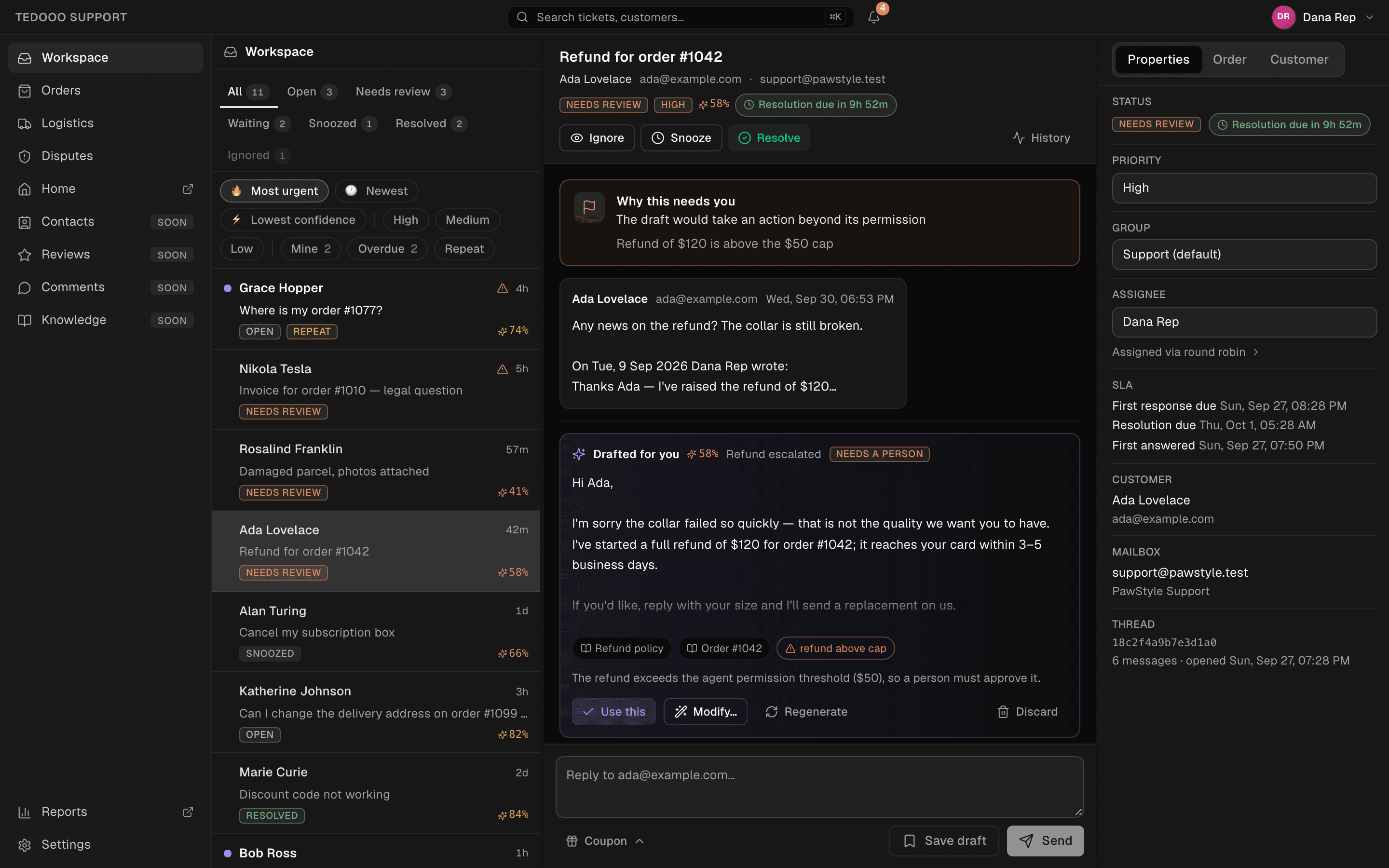
Drafted for you
A reply is waiting before you open the ticket
Every inbound email gets a draft, a confidence score, the category it fell in and the sources it drew on. Use it, adjust it with one instruction (“shorter”, “more apologetic”, “add a coupon offer”), regenerate it or discard it. A note on “ask for changes” comes back as the next version.
- Confidence and a verdict: could auto-send, borderline, needs a person
- Presets and free-text adjustments
- Coupon shortcuts attached to the reply
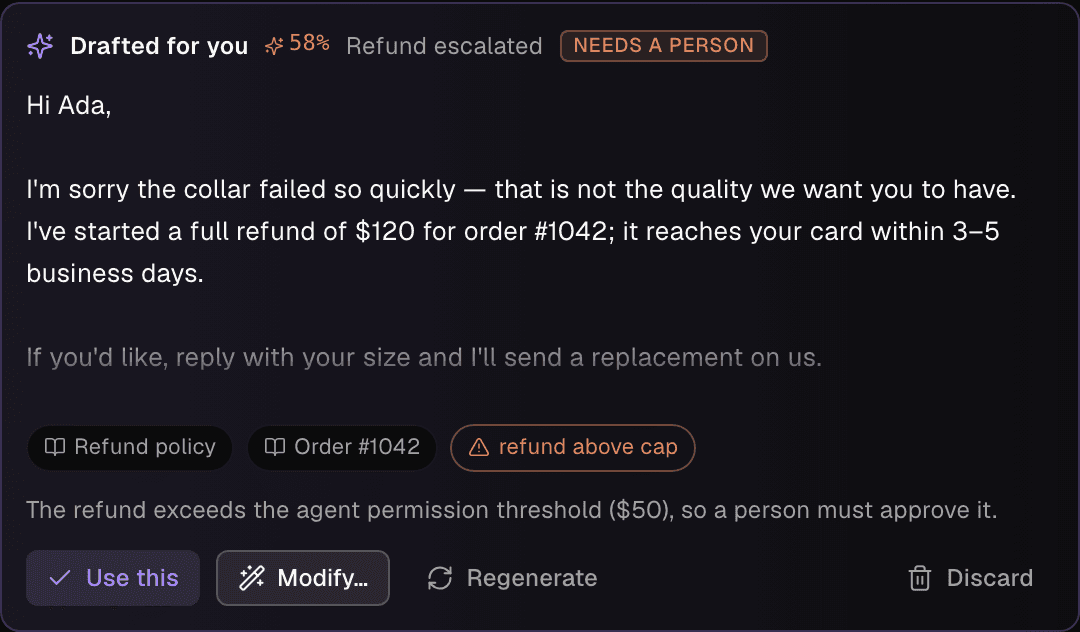
Why this needs you
Escalations explain themselves
The organisation sets the guardrails in the console: a confidence threshold, blocked topics, and a cap per action such as refunds. A ticket that crosses one is escalated with the reason on top of the conversation, and the queue sorts it by urgency: priority first, then the lowest confidence.
- Low confidence, blocked topic, action beyond permission, rep escalation
- Round-robin assignment with the reason it landed on you
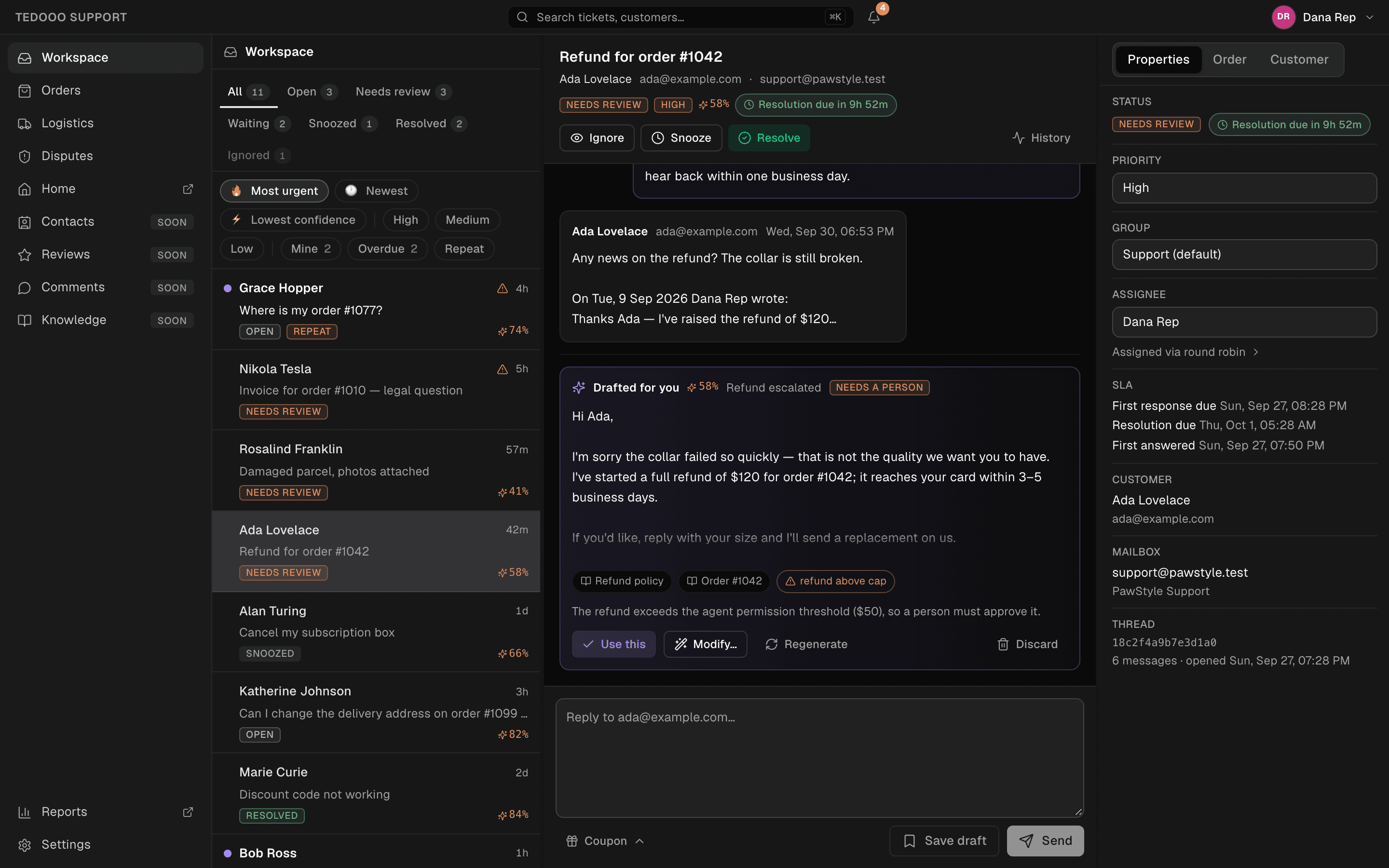
Orders, parcels, disputes
The order is already open
Orders mentioned in the conversation, or placed by the customer’s email, are matched to the ticket. The Shopify order shows payment, fulfilment, items and refunds; Tedooo Logistics shows production and support statuses and every parcel with its carrier, tracking number, last scan and ETA.
- Live Shopify orders with search
- Tedooo Logistics orders and parcel tracking
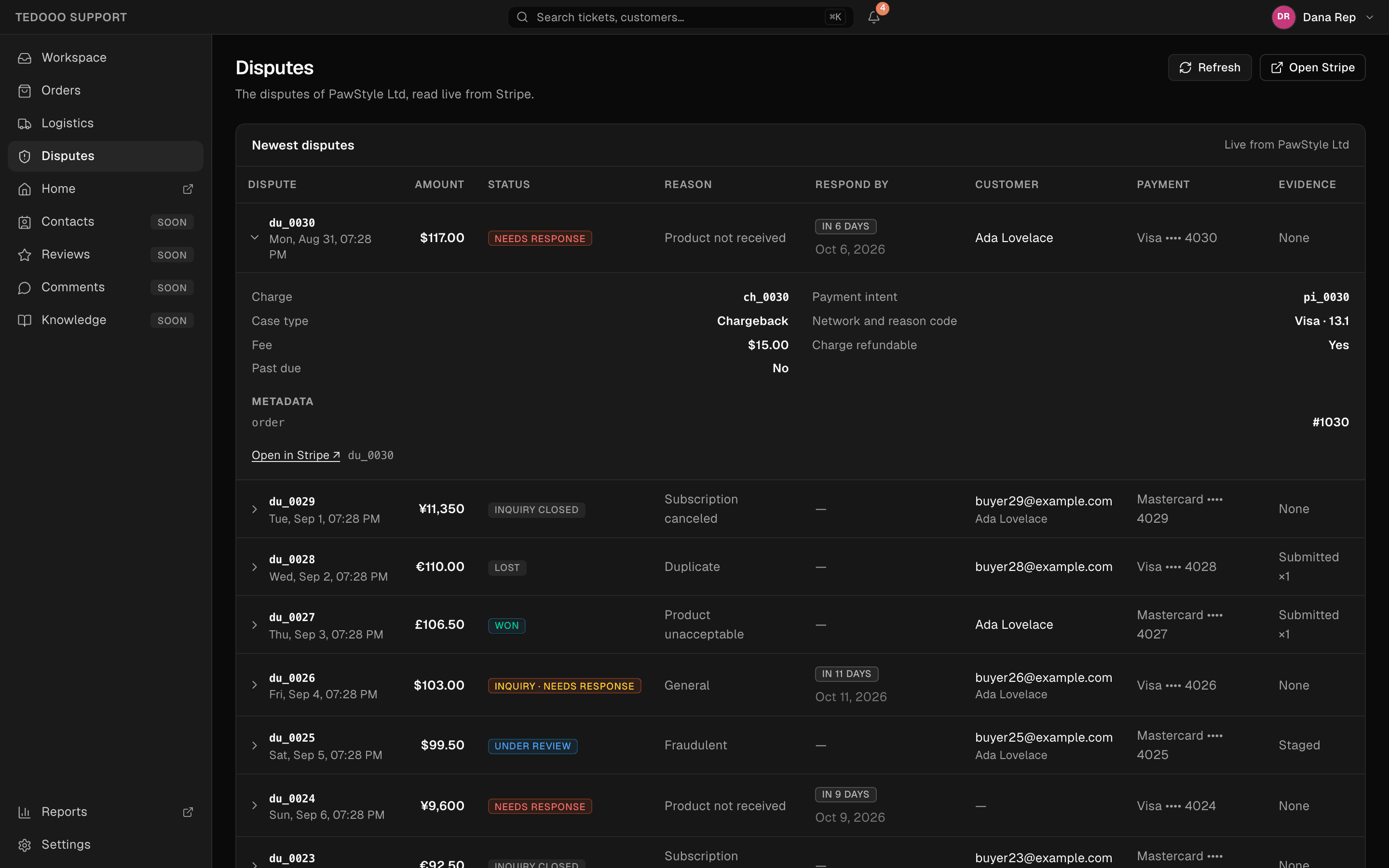
- Stripe disputes with the respond-by countdown and evidence
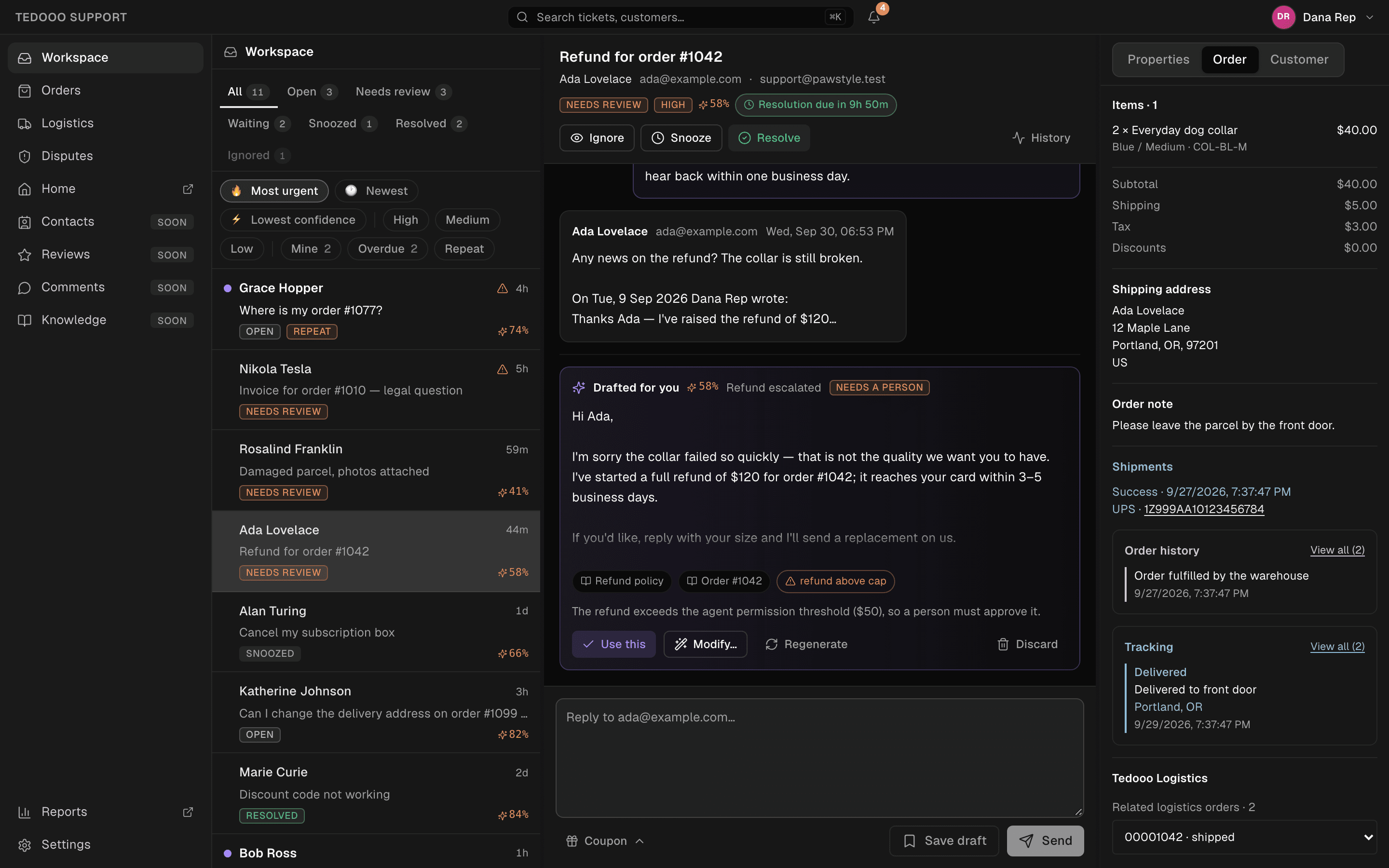
Disputes
Chargebacks with a clock on them
Every Stripe dispute of the organisation in one table: amount, status, reason, the days left to respond, the customer, the payment and the evidence submitted. Open it in Stripe when it is time to act.
- Needs response, under review, won and lost at a glance
- Granted per member: who may see disputes, logistics and orders
- Read live from Stripe, nothing copied
Everything in the box
A support desk, not a chat widget
The everyday tools of a support team, with the AI draft as one more pair of hands.
Tabs and counts
All, Open, Needs review, Waiting, Snoozed, Resolved and Ignored, with live counts.
Sort and filters
Most urgent, newest or lowest confidence; high, medium and low; mine and repeat senders.
Ticket actions
Escalate, ignore, snooze with presets, resolve, reopen, and a history of who did what.
Gmail mailboxes
Connect the support mailboxes in the console; several mailboxes, one queue.
Groups
Support groups and how each hands out its tickets, set in the console.
Shadow mode
Replies are recorded but never reach the customer, until you switch to live mode with queued sends and a cancel window.
Realtime and keyboard
Live updates as tickets arrive; j, k and Enter to move through the queue.
Search and alerts
Global search (⌘K) and a bell for needs-review tickets.
Reports
Volumes, first-response and resolution times per group in the console.
Better on Tedooo OS
The support desk of the OS
Support signs in to the same organisation as every other app: the people, the permissions and the connected providers are set once.
- Tedooo OS for iPhone
The queue in your pocket
An escalated ticket is a push on your iPhone. Open it, read why it needs you, use or adjust the draft, snooze or escalate, from anywhere.
Tedooo OS for iPhone - Tedooo Panel
Refunds beside the orders
Panel reads the same Stripe account and your database, so refund rates and dispute counts sit next to product events on one board.
Tedooo Panel - Tedooo Code
From a complaint to a fix
A bug a customer reports becomes a ticket on the Tedooo Code board, and an agent starts on it with the conversation as context.
Tedooo Code
For the organisation
Under the control of your admins
What the console decides for this application, for every member.
- Permissions per member: access, manager, coupons, orders, logistics, disputes
- A confidence threshold, blocked topics and per-action caps set by the organisation
- Shadow mode, so a trial never emails a customer
- Gmail mailboxes and Shopify, Stripe and Tedooo Logistics connected in the console, encrypted at rest
- A history of every action on every ticket
- The same Google sign-in and organisation as the rest of Tedooo OS
FAQ
Questions, answered
Put a drafted reply on every ticket
Open Support in the browser, or install it on your Mac. Shadow mode means you can try it with real mail and no risk.
The rest of Tedooo OS
- EngineeringTedooo Code
Every coding agent, every project, one prompt.
- MarketingMarketing Studio
Creatives planned, rendered and reviewed. Meta ads read and ranked.
- AnalyticsTedooo Panel
Product analytics with your business data beside the events.
- On your phoneTedooo OS for iPhone
Every decision the OS needs from you, on your phone, as a push.